
Streamline Operations
The tools you need, working together.
On The Stage replaces fragmented tools and workflows with one connected platform that reduces your workload and unifies insights.
WHAT SUCCESS LOOKS LIKE
The right tools that work together.
Running a performing arts or live entertainment organization often relies on lean teams, fragmented tools, and inefficient workflows. On The Stage removes that friction by bringing ticketing, marketing, giving, and patron management together in a single platform that replaces manual workflows with automations to reduce your workload and improve results.
-
Efficient Tools
Replace scattered spreadsheets, point solutions, and paper systems with fewer systems and connected workflows.
-
Unified Insights
Access box office, marketing, giving, and patron data in a single platform, and know it’s always up to date.
-
Reduced Strain
Use built-in automations and patron self-service tools to reduce your team's workload.
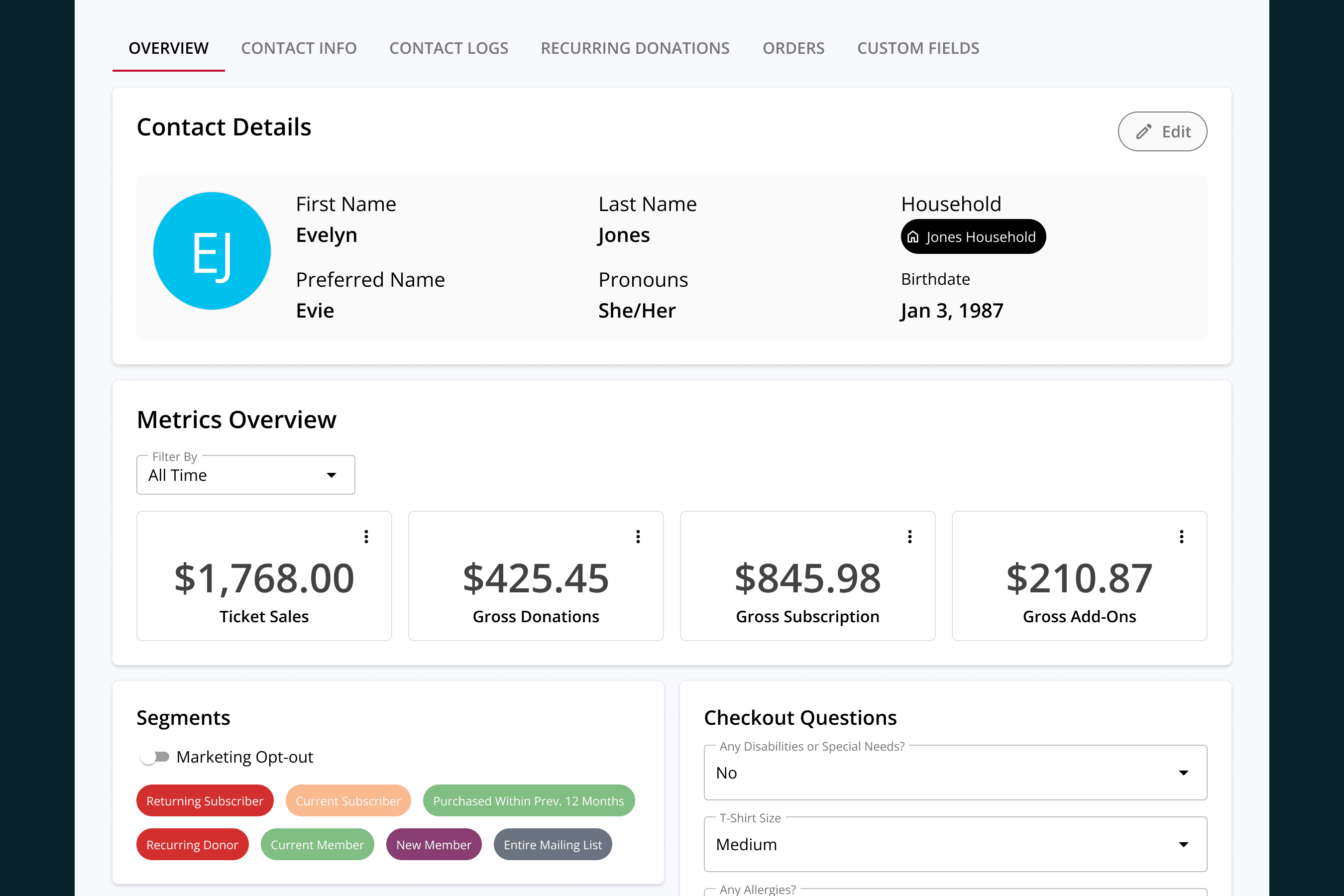
Advanced marketing powered by your patron insights.
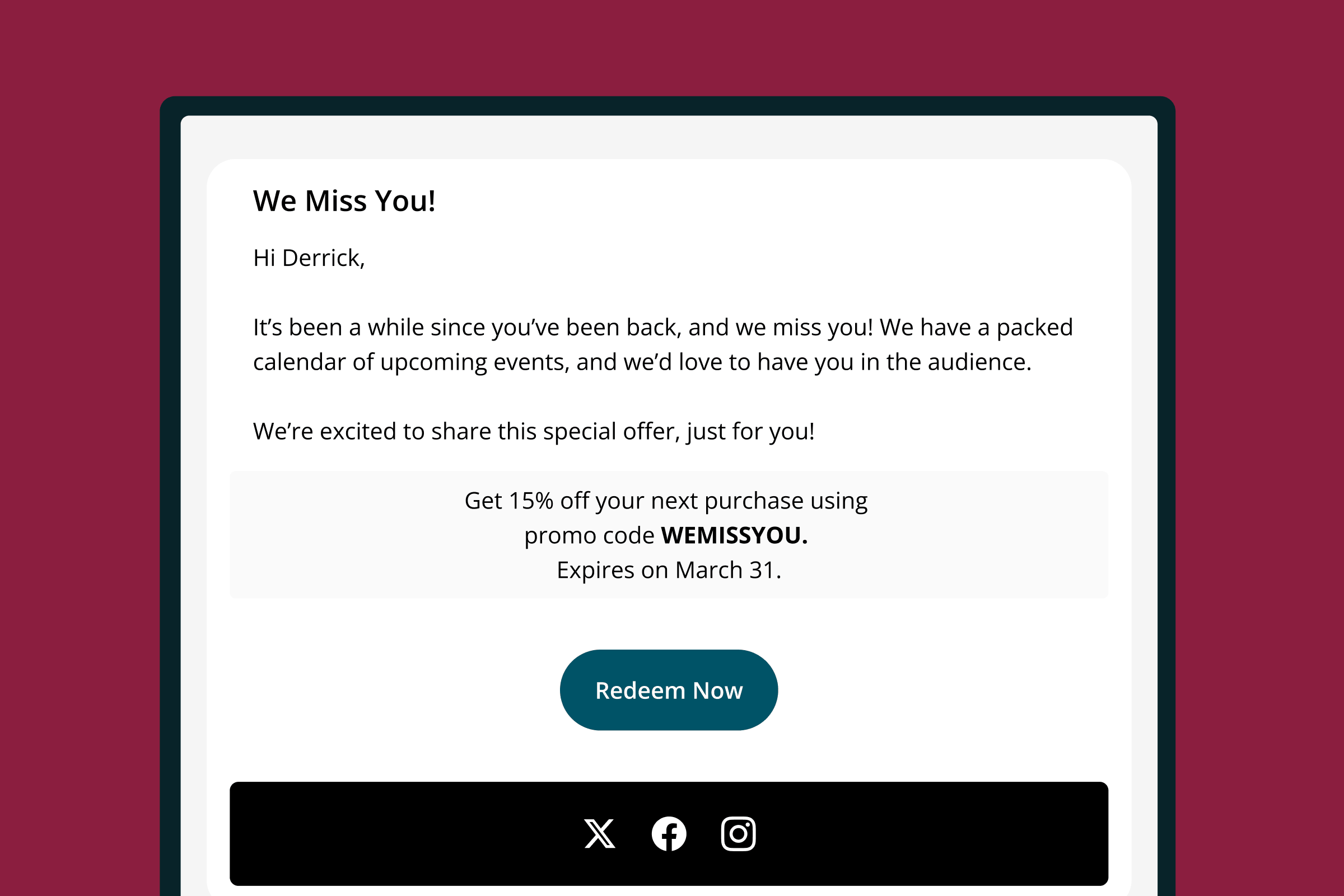
Automated Marketing
Keep your audience consistently engaged with always-on marketing campaigns that speak to who they are.
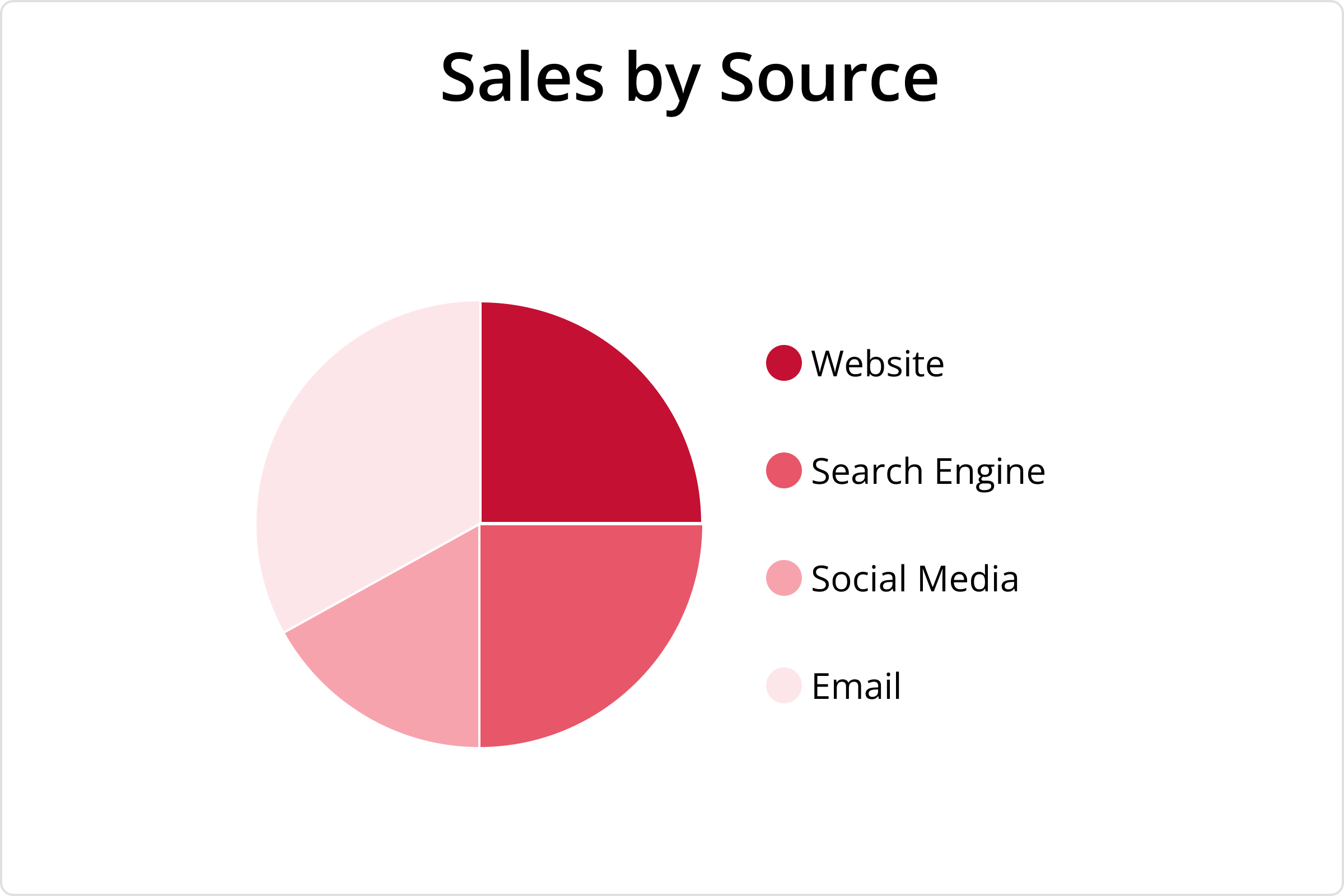
Ad Tracking Pixels
Add Meta and Google pixels to OTS-hosted sites to improve marketing analytics.
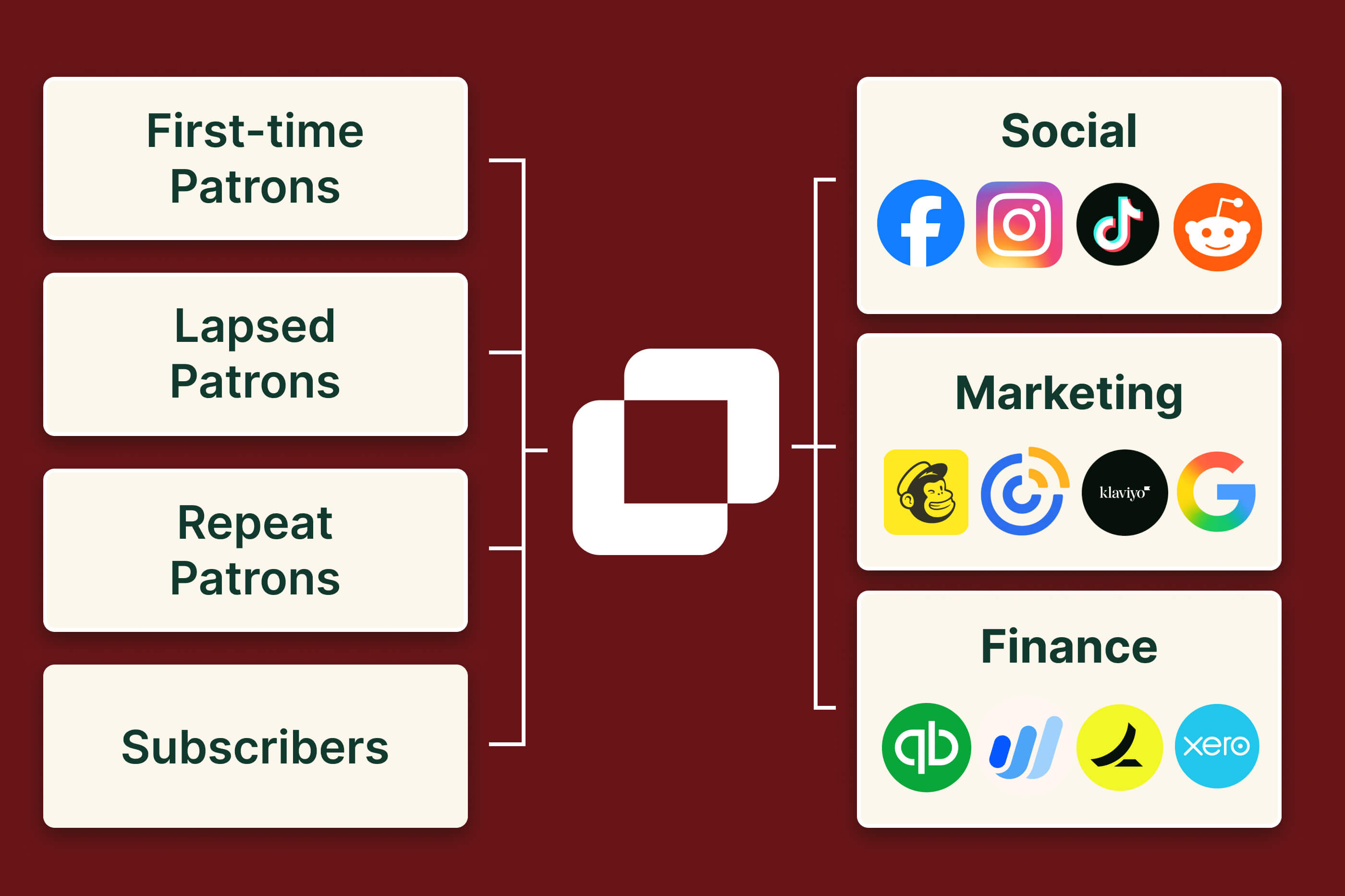
Integrations
Automatically sync patron data with your favorite email, social, and finance platforms.
Box Office
Simpler day-of workflows.
Manage check-ins, holds, and ticket scanning in the same system as your orders, so staff and volunteers always work from live data instead of printed lists.
-
QR Ticket Scanning
Scan tickets from a phone, tablet, or laptop camera - no special hardware required
-
Offline Check-ins
Pre-load check-in lists to keep working even when the Wi-Fi doesn't.
-
Check-in Lists
Check patrons in by name or confirmation code, with a live count of who's arrived and how many tickets are still available.
-
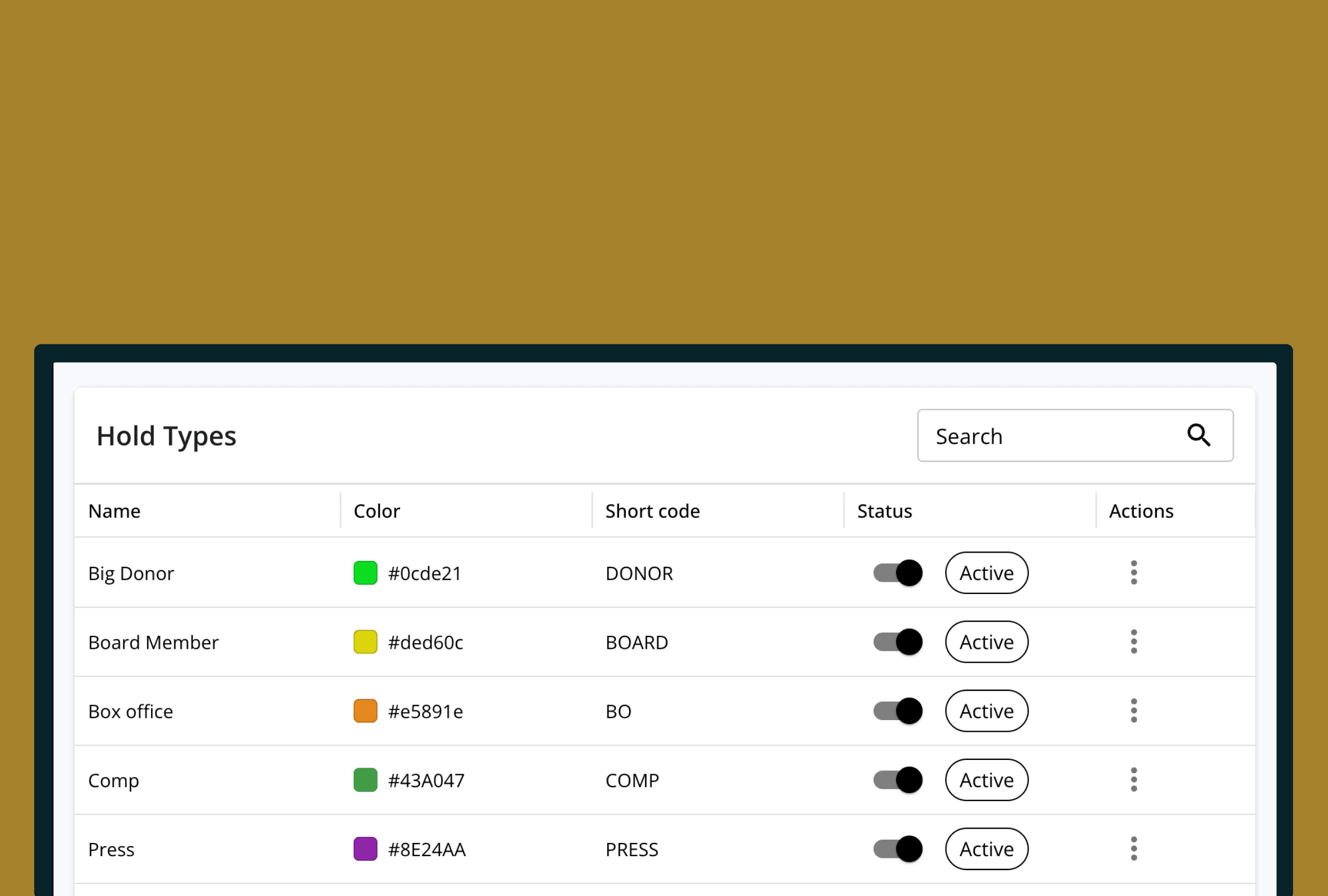
Custom Holds
Set aside house seats, press blocks, and VIP seats directly on your seating chart, and release unused holds back into inventory automatically.
-
Volunteer Access
Give volunteers access to scan tickets and perform basic tasks during check-in, without access to the rest of the platform.
FUNDRAISING & GIVING
Giving that works alongside ticket sales.
Run fundraisers and giving campaigns on the same platform where you sell tickets, so gifts are automatically attributed to the right patron without a separate donor system.
Campaign Templates
Launch giving campaigns in minutes with a ready-to-use template, or build one from scratch.
Donations During Checkout
Create an opportunity to give when someone buys a ticket.
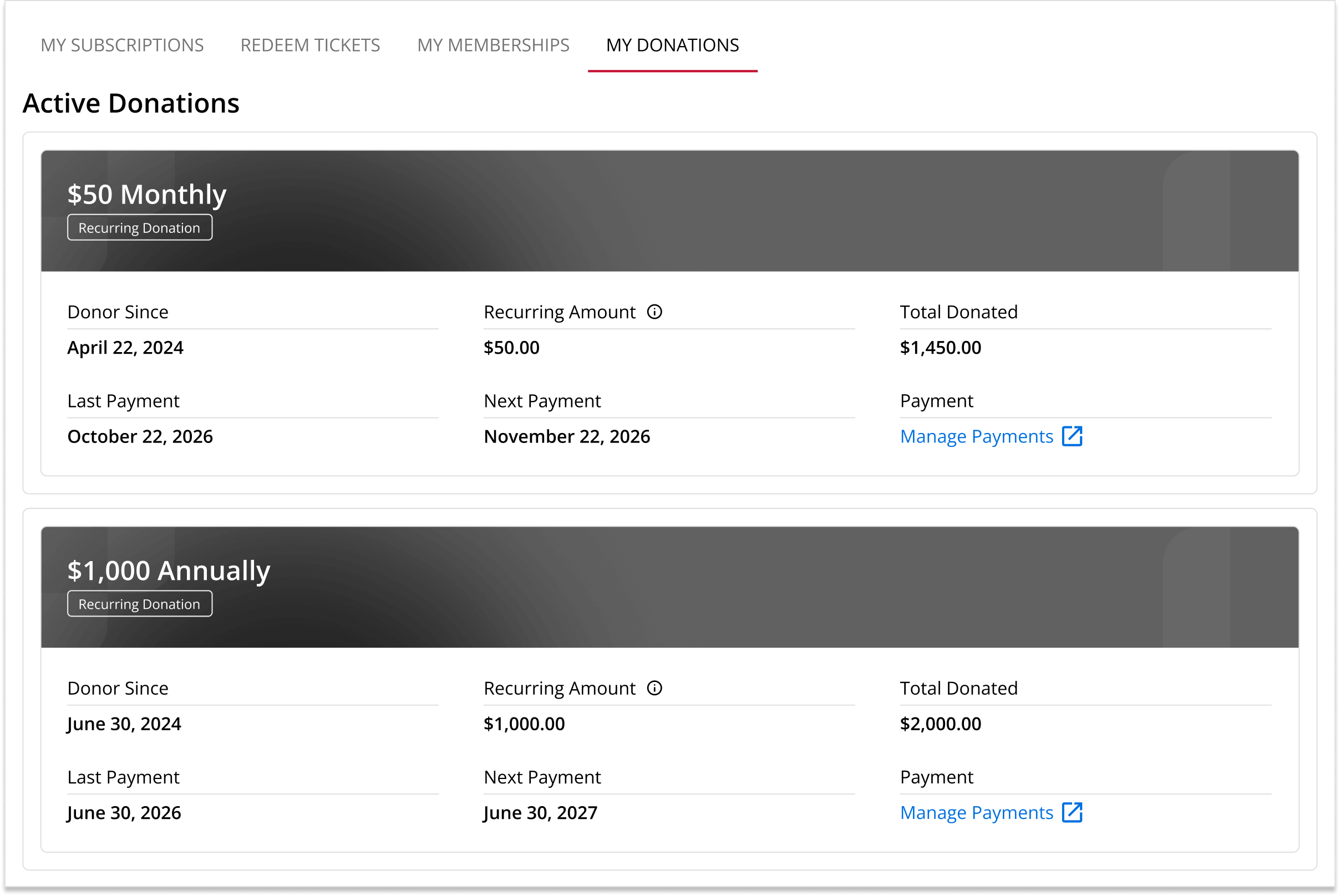
Recurring Donations
Collect monthly or annual recurring gifts that donors can manage themselves, without calling the box office.
Donation Management
Track every gift, ticket, and interaction in a single patron record instead of a spreadsheet or a separate system.
Clear Attribution
Attribute campaign gifts, ticket-order donations, and general giving to individual donors and campaigns.
PATRON MANAGEMENT
One record for every patron.
Every order, donation, and interaction is automatically stored in a single patron record, so your database stays current without anyone maintaining it by hand.
Unified Profiles
See purchase and donation history, contact info, households, tags, and custom fields in one place.
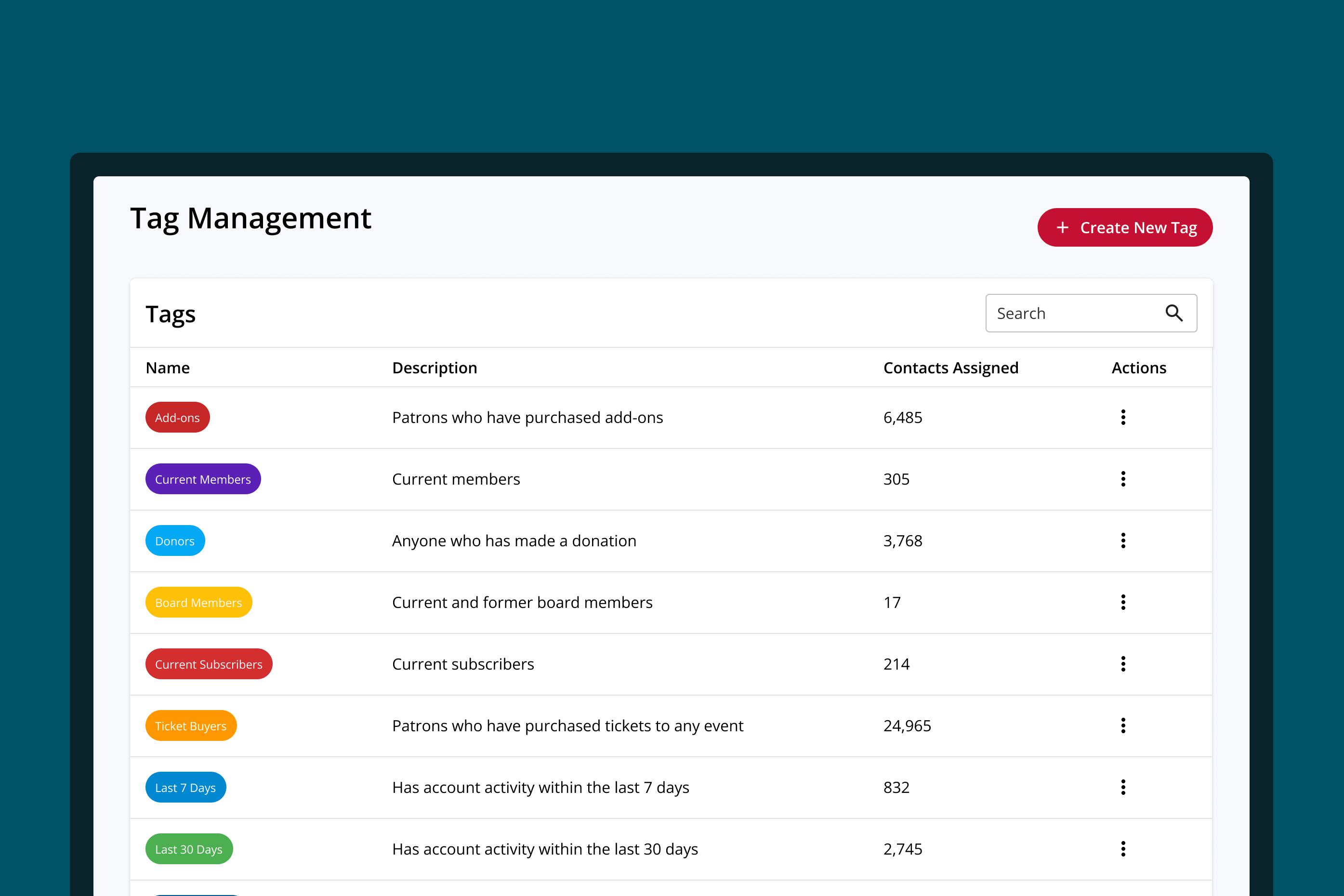
Tags, Fields & Households
Track important information using custom tags and fields, and group related contacts into households.
Audience Segments
Access pre-loaded segments - or build your own - that update themselves as patron behavior changes, so you never have to maintain spreadsheets or worry about stale lists.
Self-serve Patron Portal
Let patrons manage their own subscriptions, memberships, and recurring donations on their own without a password, reducing strain on box office teams.

Let's fill the house.
See how OTS brings ticketing, marketing, fundraising, and patron loyalty together, for your organization specifically.
Request Demo