Skip to content

NEW Download the 2026 Performing Arts Trends Report Get your copy →

← Back to resources

Quick Start Guide: Create Your First Campaign

Guide · Marketing


Screenshot 2026-11-16 at 2.45.34 PM

Reach your audience from the same place you sell tickets. Email campaigns help you reach your audience with announcements, offers, and reminders that bring ticket buyers back show after show.

Email-Campaign-Quote

What you'll need

Familiarity with your audience segments
An end goal for the campaign
As little as 5 minutes

Steps

1. Navigate to campaigns
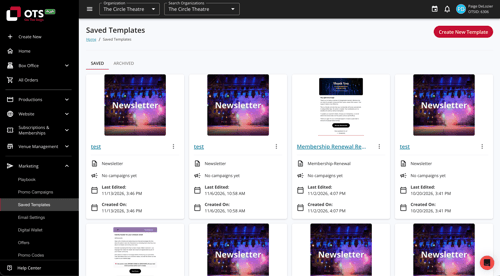
Click Marketing › Promo Campaigns › Create New Email.

2. Fill out required fields
Enter a unique name and email subject, then select the audience, reply-to email, and send time.

3. Select a template
Click Add Email Template and select one of the options provided.

4. Customize the email
In the email editor, you can view web and mobile mode, adjust design, add components, and move, copy, or delete sections.

5. Send a test
After saving your email, click Send Test Email to preview how it looks in your inbox.

6. Save and schedule
Click Save to store your email as a draft. If it’s ready to go, you’ll see the option to schedule the campaign.

About On The Stage

On The Stage (OTS) is the engine that empowers performing arts and live entertainment organizations to sustain, expand, and thrive season after season. Our comprehensive ticketing, marketing, and fundraising platform is purpose-built to increase revenue, attendance, and loyalty via always-on automated engagement tools, robust audience management, and a frictionless interface that delights patrons and maximizes conversions.

From educators shaping the next generation of creators to professional performing arts organizations and high-velocity commercial venues, OTS helps customers reach new audiences, retain existing ones, and foster long-term loyalty that leads to improved financial stability and a more secure future.