Now your supporters can share their love of your organization with the people in their lives using gift cards.
Your audience can buy a gift card directly from your website or at the box office, send it to anyone with a personal message, and the recipient can redeem it for tickets, add-ons, and more.
With the holiday season right around the corner, gift cards are a great tool to spread the gift of your organization to patrons new and old.
Why gift cards
Gift cards aren't just a holiday extra. They give you a new source of revenue all year, and they bring new people into your audience.
-
 A new revenue stream, all year long. Holidays, birthdays, anniversaries, thank-yous, graduations: there's always a reason to give. Gift cards give your audience a way to spend with you all year long, even when you're between programs or events.
-
New faces in your audience - and in your database. Every gift card involves two people: the one who gives it and the one who receives it. The moment a card is bought, the recipient is added to your patron database (if they aren't there already), tagged as a gift card recipient, and the card is attached to their profile.
-
A built-in reason to come back. A gift card is a promise of a future visit. Recipients arrive with a reason to attend and a balance to spend, so first-timers are more likely to become regulars.
-
Money in your pocket sooner. You get paid when the gift card is sold, not when it's redeemed, meaning that revenue moves to your account faster.
-
The gift of the arts. A gift card is a great way to spread your organization's mission, let your community share what you do with the people they love, and bring new and younger audiences through your doors.
How it works
It's easy to get started with gift cards.
-
Set it up in minutes. Choose the amounts you want to offer, optionally allow buyers to enter their own amount, and add an image and a short description. Save, and gift cards are on sale.
-
Sell them wherever your audience is. Once enabled, a new Gift Cards tab appears on your OTS-hosted event and organization websites, as well as in the embedded ticketing widget. Your box office staff can sell gift cards at the window or over the phone, too.
-
Buy now, deliver later. Buyers can send a gift card right away or schedule it for a specific date and time, so it gets delivered on the birthday, the anniversary, or the morning of the holiday. The recipient gets a branded email from you - not from OTS - with their code and a personal message from the giver.
-
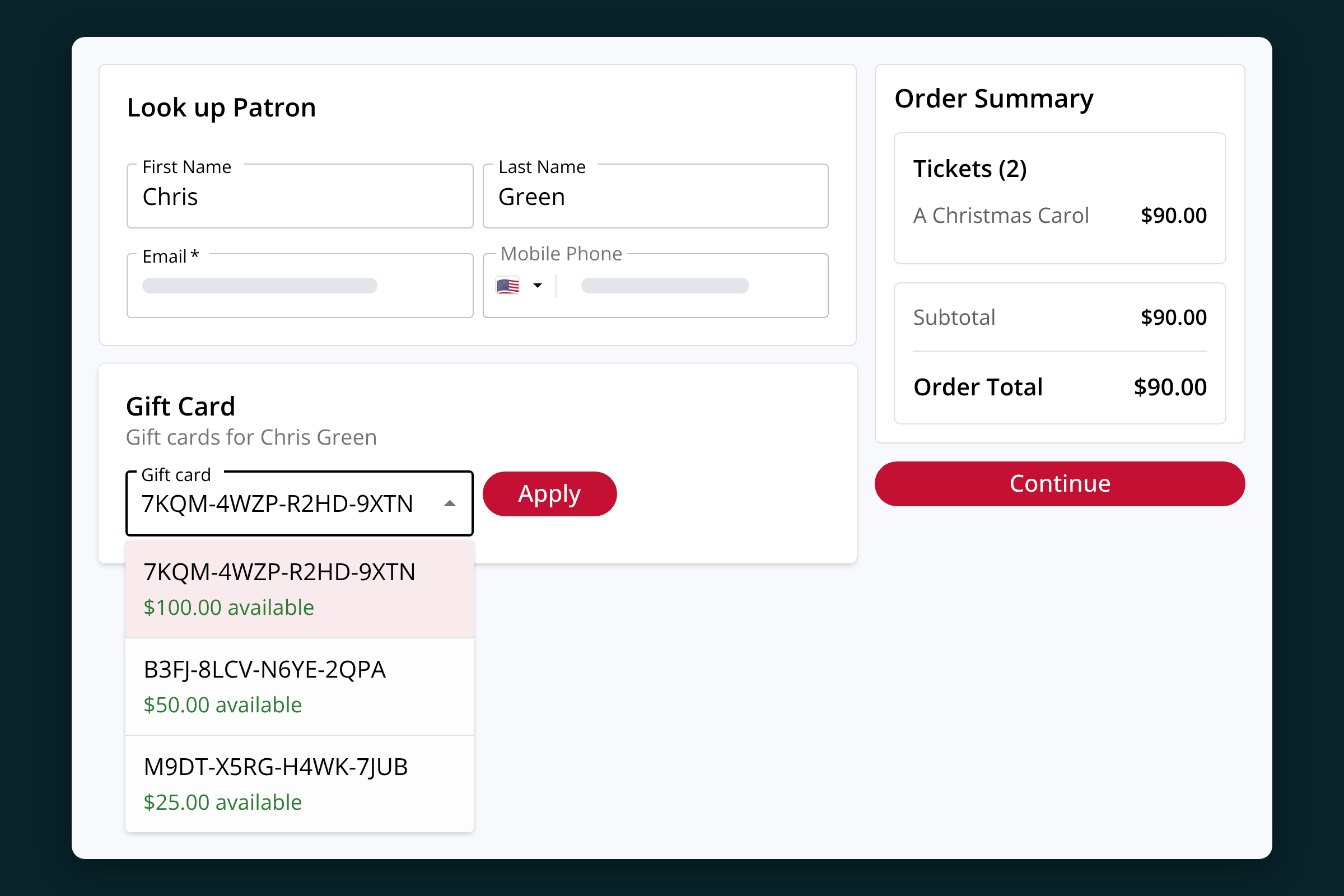
No codes to chase. Because each gift card lives on the recipient's profile, your box office team can easily access and apply gift cards via a dropdown when a patron calls or walks up to book. Patrons who are logged in at checkout get the same dropdown, so there's no code to dig out of an old email. They can also check their balances anytime in the patron portal.
-
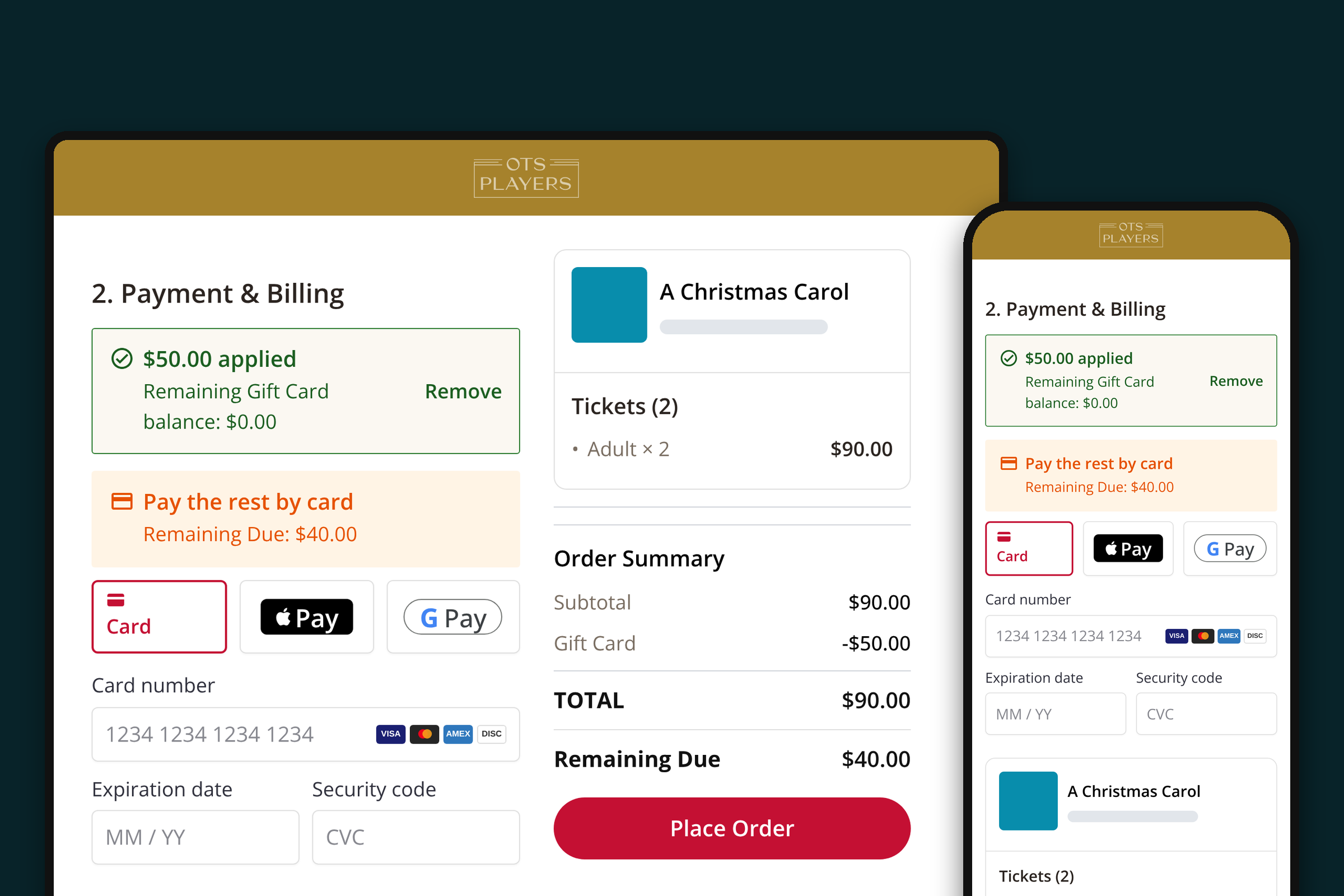
Easy to spend. Recipients can use gift cards at online checkout or at the box office, and they can apply more than one card to the same order. If the cards don't cover the whole amount, they can pay the rest with any standard payment method.
-
Everything in one place. Every card has its own page in your dashboard showing its balance, who bought it, who received it, and whether the email arrived. If something goes wrong, you can resend the email, fix the address, or issue a new code in a couple of clicks.
-
Easy financial insights. New reports show outstanding gift card balances, making it easier to manage current and future cash flow.
Ideas to get you started
It's not enough to simply enable gift cards, you have to let your audience know that you offer gift cards and get them excited. A few ideas:
-
Make gift cards part of your Black Friday and Cyber Monday plans. Send an email the week before, then a reminder on the day.
-
Promote them in the lobby. Put a QR code linking to your gift card page in your programs, on lobby signage, and at the concessions stand.
-
Mention them at the box office. "Buying for someone? We have gift cards now" at the window is an easy win.
-
Think beyond the holidays. Mother's Day, Valentine's Day, graduation season, and opening night of your next season are all good moments to bring gift cards back up.
-
Say thank you. Volunteers, sponsors, teachers, and staff all make great gift card recipients.
Available now
Gift cards are available to all customers on the Plus plan. To get started, simply navigate to Additional Revenue -> Gift Cards in the dashboard.
If you aren't yet an On The Stage customer on our Plus plan, talk to your account manager or book a demo to learn more.